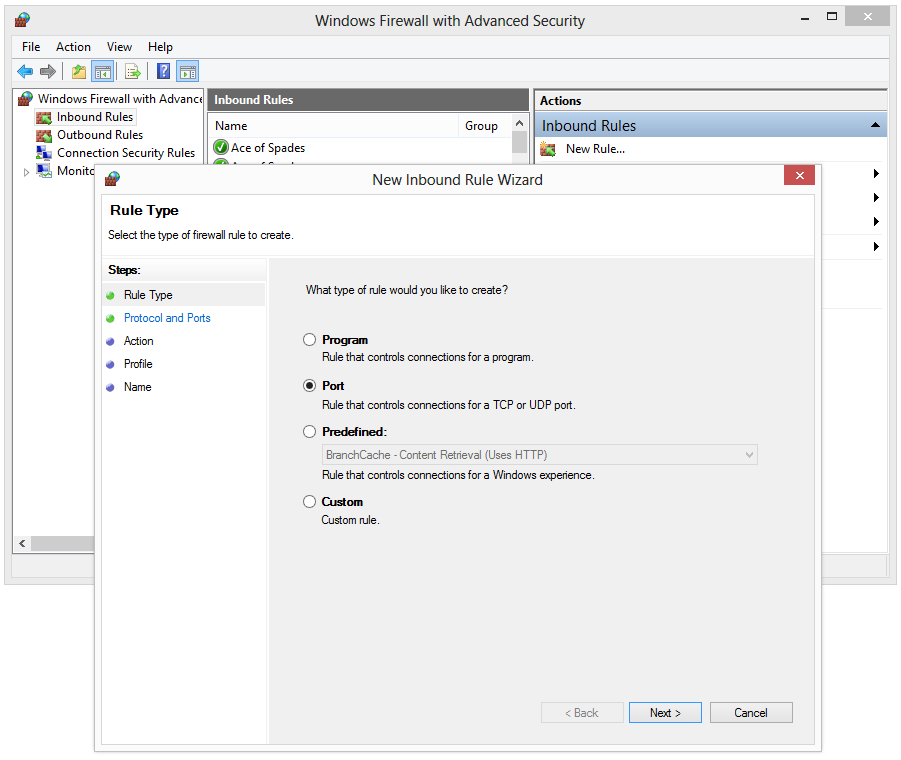
This guide will teach you how to open a single TCP or UDP port in the Windows Firewall.
Open the Control Panel
Press the Windows key and search for “Control Panel” or use the shortcut Win + C to open up the Windows Control Panel.
Navigate to:
Control Panel\System and Security\Windows Firewall
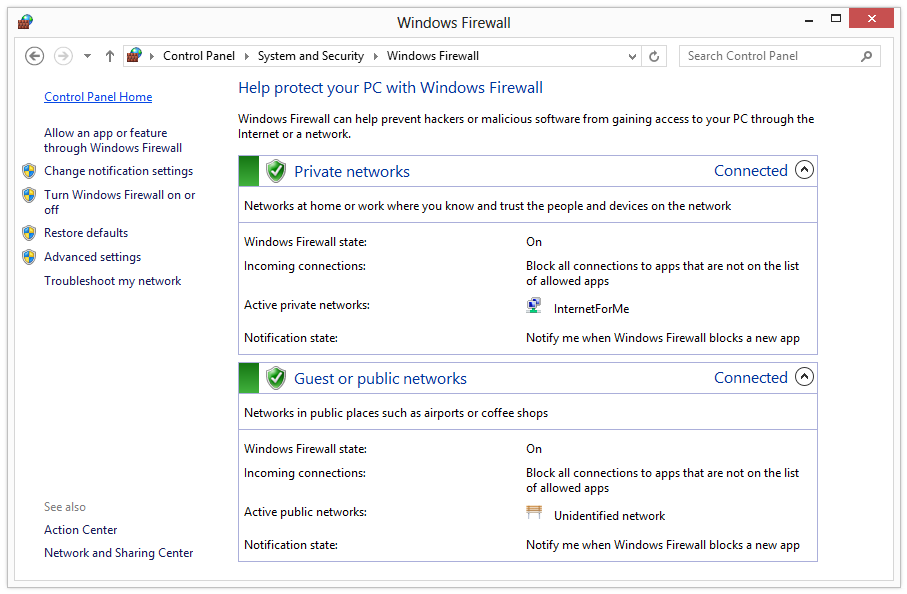
Make an exception
Click on “Advanced settings” and a new windows will appear. Click “Inbound rules” on the left and “New rule” on the right. Select “Port” and follow the given instructions to enter a new UDP or TCP port.